New to the Collection: Five Wear OS Watch Faces
Our website collection has caught up with five more LinkT watch faces available on Google Play. They take very different directions: a scenic drive, a street battle, a metal instrument panel, a mysterious ocean and a pair of eyes in the dark.
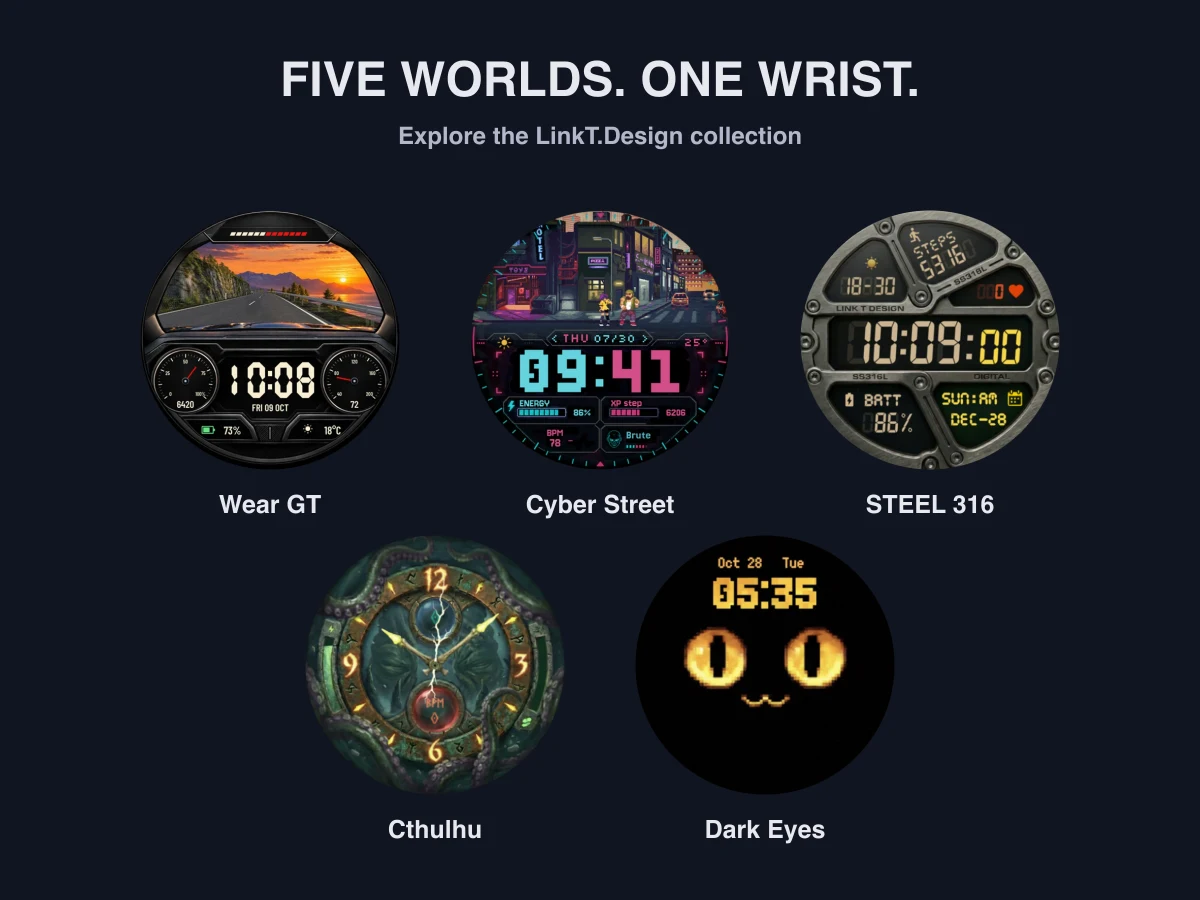
Wear GT: take the scenic route
Wear GT puts you behind a dashboard with a road ahead. Four routes and five cockpit finishes let you choose the atmosphere. It requires Wear OS 5 or later; check your watch’s software version before purchasing.
Cyber Street: walk into the action
Cyber Street is for the arcade crowd. Daily steps move a battle through a neon pixel city, with enemies, bosses and three city scenes rotating across a three-day cycle. Pick it when you want your activity to be part of the picture.
STEEL 316: an instrument-panel look
STEEL 316 trades scenery for metal textures and a large digital clock. Its bolted sections make information feel like part of a physical dashboard. This is the collection’s industrial option for compatible devices running API level 34 or later.
Cthulhu: beneath the surface
Cthulhu brings animated tentacles, ancient-looking runes and bone-style hands to an analog dial. The dark ocean scene suits a very different mood from our brighter pixel worlds.
Dark Eyes: a character at a glance
Dark Eyes keeps the scene simple: a clock, darkness and a pair of blinking eyes. Five themes give the small character different looks. It is an easy starting point if you want animation with a sparse layout.
Choose a face for your everyday watch
Start with the way you like to read time. Wear GT, Cyber Street, STEEL 316 and Dark Eyes use digital time; Cthulhu uses hands. Then choose between an active scene, a dashboard and a quieter character.
Our 2026 watch face guide compares these directions with Step Quest and the nature collection. Every product page links to Google Play, where you can check the current price and availability for your watch.
New to installing watch faces? Follow the installation guide and check watch compatibility. Install the watch face on the watch itself, then select it in your watch face picker.